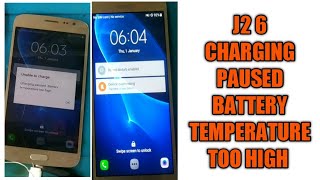
What Happens When Phone Battery Temperature Is Too High?
Modern smartphones rely on lithium‑ion batteries that operate best within a narrow temperature range, typically between 0 °C and 35 °C (32 °F‑95 °F). When the battery temperature climbs above this range, the device’s hardware and software react to protect both the phone and the user. The most common sign is a warning message that reads “temperature too high” while the phone is charging or in heavy use. Understanding the underlying causes and the potential consequences helps you avoid permanent damage and keep your device performing reliably.
Why Batteries Heat Up
Battery temperature rises for several reasons:
- Fast charging: High‑current chargers push more electricity into the cell, generating heat.
- Intensive tasks: Gaming, video streaming, or using GPS for long periods forces the processor and GPU to work harder, which in turn heats the battery.
- Environmental factors: Direct sunlight, a hot car interior, or leaving the phone on a warm surface can raise the temperature quickly.
- Faulty accessories: Non‑original chargers or damaged cables may deliver irregular voltage, creating excess heat.
Immediate Effects on the Device
When the battery temperature exceeds safe limits, the phone’s operating system typically throttles performance to reduce heat generation. You may notice:
- Reduced screen brightness and lower frame rates.
- Slower app launch times.
- Automatic shutdown or a temporary “charging paused” message.
- In some Android models, such as the iTel Ace2 or the iTel Android S15, the notification explicitly states “temperature too high.”
These protective measures prevent the battery from reaching temperatures that could cause swelling, leakage, or, in extreme cases, a fire.
Long‑Term Risks of Repeated Overheating
Repeated exposure to high temperatures can degrade a lithium‑ion cell faster than normal use. The chemical reactions inside the battery accelerate, leading to:
- Loss of capacity – the phone holds less charge and needs more frequent recharging.
- Increased internal resistance – charging becomes slower and the battery may feel “hot” even at low usage.
- Potential swelling – a swollen battery can press against the screen or internal components, causing mechanical damage.
- Safety hazards – while rare, severe overheating can result in thermal runaway, which may ignite the battery.
How to Diagnose Overheating Issues
Before assuming a hardware fault, check the following:
- Use a reputable battery‑monitoring app to view real‑time temperature readings.
- Inspect the charger and cable for wear or non‑standard specifications.
- Remove any case that might trap heat during charging.